
How to Check Criminal History in Inverness
Start by naming the record and its custodian. CCSO holds an Inverness incident or arrest report because the city contracts for sheriff service. The Citrus County Clerk maintains the docket, filed charges, orders, and disposition after a prosecutor opens a case. FDLE compiles legally releasable Florida criminal history from reporting agencies across the state. These sources describe different stages, so compare them rather than treating one result as the whole story.
- Ask CCSO Records for an incident or arrest report, using the event date, address, report number, and involved name when known.
- Check current custody through the sheriff and Citrus County Detention Facility channels.
- Search SCORSS by party or case number for a filed Citrus County case.
- Visit the Apopka Avenue courthouse for images, certified dispositions, or staff-assisted searches.
- Use FDLE for broader Florida history or a fingerprint Personal Review of one’s own record.
Inverness Arrest Records Live at CCSO
There is no Inverness Police Department records desk. The city’s official law-enforcement page confirms that Inverness contracts with the Citrus County Sheriff’s Office. A report about an event inside city limits therefore goes to CCSO, not to a municipal police custodian. City Hall may hold city-created administrative material, but it does not keep the sheriff’s investigative file.
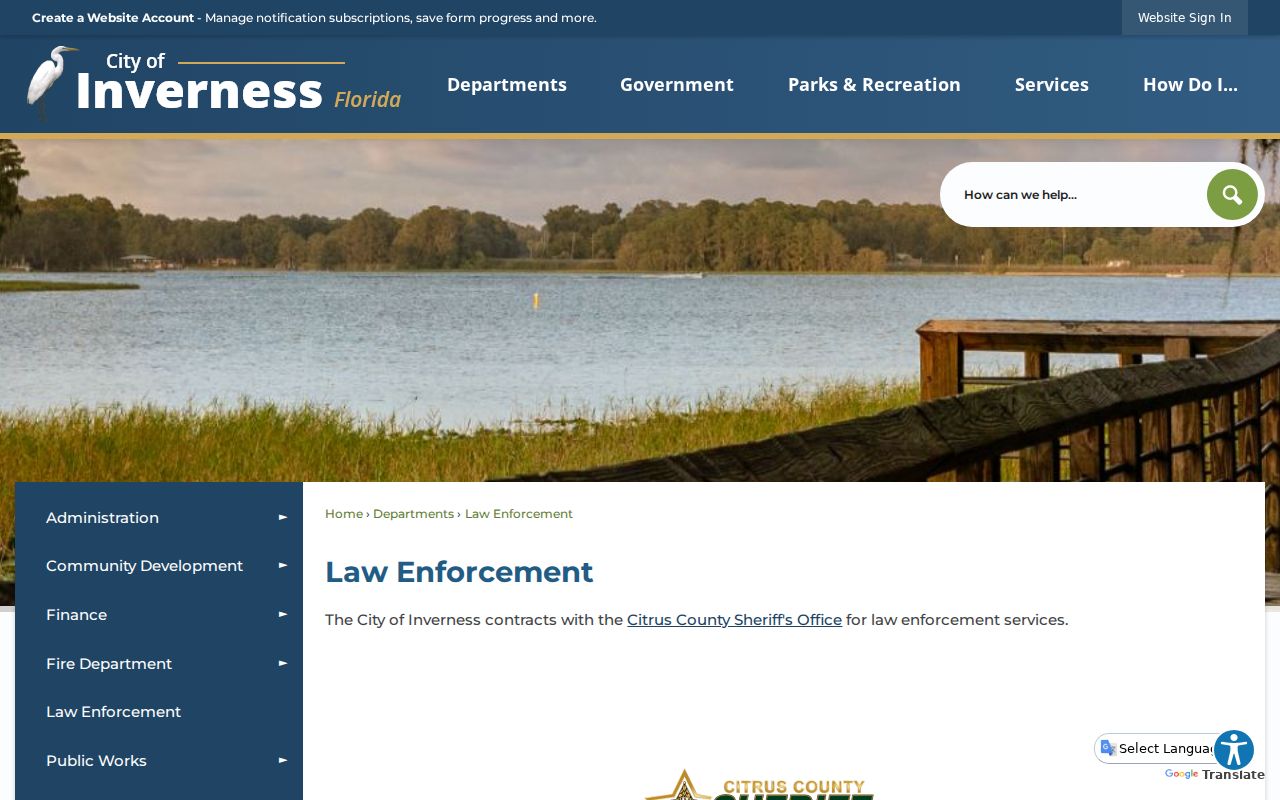
The city source makes the routing rule plain. Call CCSO at 352-726-1121 and ask for Records or Public Records when the item is an incident report, arrest report, call record, or sheriff-held media. Give a tight date range and exact item to reduce delay and possible extensive-use charges.
The Inverness Police Department
The heading reflects a common search, but the agency does not exist. CCSO provides law enforcement in Inverness and serves as custodian for its police, arrest, calls-for-service, 911/CAD, and agency-video records. A useful request gives the date and time, place, incident number, involved agency, and exact item sought. Florida law does not require a person to explain why the record is wanted or use a special form.
Direct court requests elsewhere. Filed pleadings, dockets, judgments, and certified dispositions belong to the Citrus County Clerk. Sending a police-report request to the clerk causes delay because the clerk routes arrest and police reports back to CCSO. Likewise, CCSO is not the keeper of the court file. This custody line prevents a circular referral.
Search Inverness Cases on Apopka Avenue
Inverness is the county seat and main justice-record hub. The Citrus County Courthouse at 110 N. Apopka Avenue houses the public counter for Circuit Court felony matters and County Court misdemeanor and criminal-traffic cases. Clerk hours are weekdays from 8 a.m. to 5 p.m. The main line is 352-341-6424, with option 4 for criminal matters.
Anonymous SCORSS users can search public indexes and dockets by party or case number, but they do not receive document images. Bring a case number to the courthouse for a quicker counter search. Public kiosks can show material that the anonymous role does not display, while confidential or party-only records still need proper authority and identification. The clerk can provide copies and certified dispositions, but cannot give legal advice.
Arrests and Bookings in Inverness
Inverness has no city jail. A person arrested in the city normally enters the county booking process at the Citrus County Detention Facility, 2604 W. Woodland Ridge Drive in Lecanto. Its main number is 352-527-3332. Booking creates a custody record with identifying descriptors, intake time, arresting agency, charges, bond information, and release data when available.
A booking entry is not a conviction and may not match the later court charge. The State Attorney decides what to file, and a charge can change or be declined. For current custody, use the sheriff or detention channel. For the legal result, follow the case in SCORSS and obtain the clerk’s disposition. The Citrus County arrest history page supplies the fuller countywide channel list.
From Inverness Stop to Lecanto Booking
The timeline begins when a deputy documents a contact or incident. If an arrest follows, booking staff in Lecanto create a separate custody event and take fingerprints. Arrest-event data and fingerprints move through Florida criminal-justice networks to FDLE. The State Attorney reviews the facts and decides whether to file a criminal case.
Once filed, the Citrus County Clerk maintains the docket. Pleas, dismissals, adjudications, sentences, and other dispositions are reported back to FDLE. Delay or a missing disposition can leave the state cycle incomplete. Someone reviewing a personal Inverness criminal history should compare the sheriff report, clerk disposition, and FDLE result. FDLE’s fingerprint Personal Review offers the subject a no-fee route to inspect and challenge the state record.
Inverness Municipal Court Records
Inverness does not operate a municipal criminal court or city criminal-case portal. Florida criminal matters from the city are filed in Citrus County Court or the Circuit Court of the Fifth Judicial Circuit. Parking citations can begin as city matters, but unpaid citations may be sent to the clerk and may lead to a notice to appear. Moving violations are processed by the clerk.
| Court Name | Citrus County Court for misdemeanors and criminal traffic; Fifth Judicial Circuit Court for felonies |
|---|---|
| Case Types Heard | Felonies, misdemeanors, county ordinance cases, and criminal traffic, based on court level |
| Case Lookup Channel | SCORSS, courthouse kiosk, clerk counter, or Court History Record Search request |
| What the Docket Shows | Case number, parties, filed charge, events, hearings, disposition, and sentence when public |
| Copies & Fees | Ordinary or certified copies from the clerk; confirm the current charge before ordering |
Two Inverness Courthouses, Different Records
Inverness history can send a visitor to the wrong door. The historic courthouse at 1 Courthouse Square opened in 1912 and now stands as a civic landmark. Modern criminal work takes place at 110 N. Apopka Avenue. A person seeking a current docket, image, payment, or certified disposition should use the current clerk counter, not the historic building.
The official City of Inverness site shows the city’s civic setting and current services.
City identity and county-seat functions overlap here, but custody does not. City administrative records stay with the city. Criminal filings and court copies stay with the Citrus County Clerk.
Where Inverness Records End Up
CCSO keeps its source report, the detention operation keeps booking material, the clerk keeps the filed case, and FDLE maintains the statewide repository cycle. No single screen replaces all four. The newest event is often easiest to confirm with CCSO, while a mature case is best read through the clerk’s docket and disposition.
Record flow: CCSO in Inverness › Citrus County Courts › Florida Department of Law Enforcement
FDLE’s public search is name based, costs $24 plus the stated Instant Search card-processing charge, and is not a fingerprint identity match. It can include releasable Florida events outside Citrus County. Use a fingerprint Personal Review when accuracy of one’s own state record matters.
Inverness Records Hub by the Numbers
The Census Bureau estimated 7,887 Inverness residents as of July 1, 2024, compared with 7,543 counted in 2020. Those figures describe population, not crime. Their practical value is scale: Inverness is a small incorporated city that hosts countywide offices serving a far larger area. Many people at the courthouse or sheriff headquarters do not live inside city limits.
The Census QuickFacts profile supplies official demographic context.
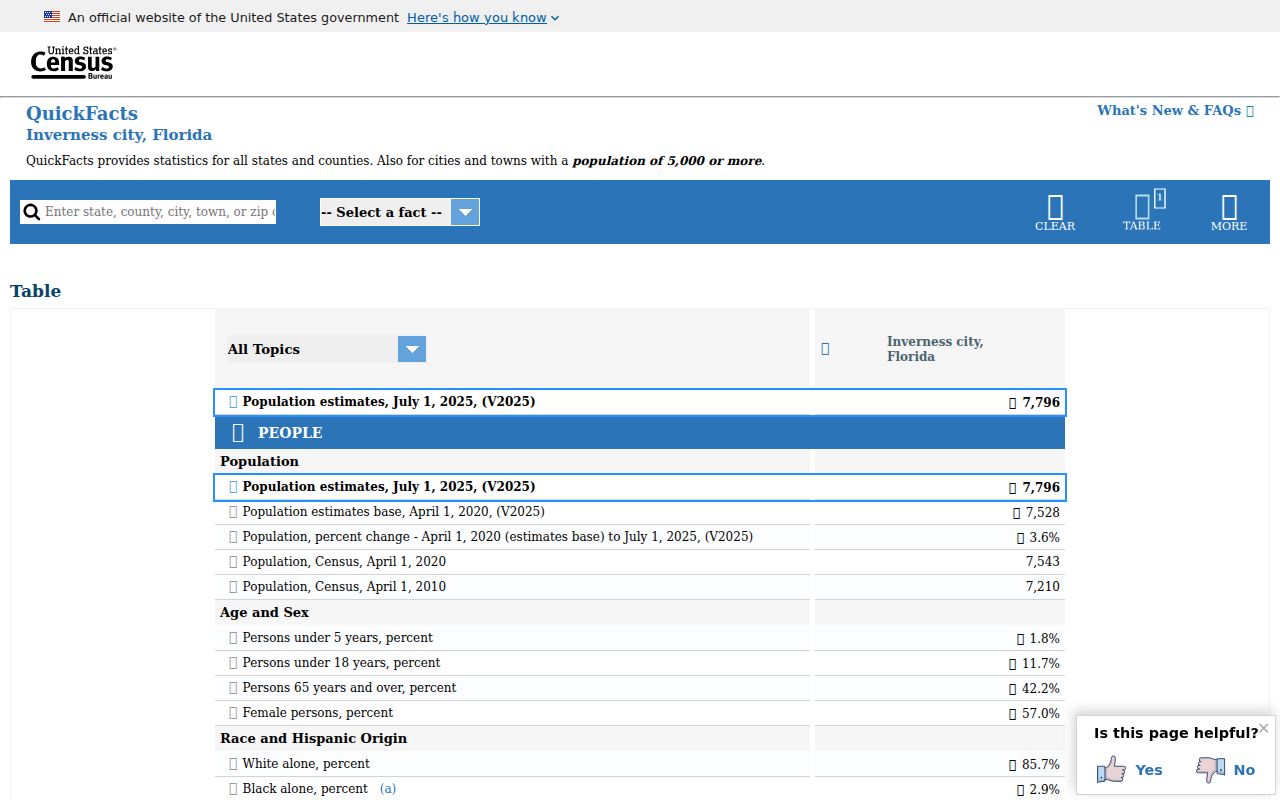
The profile should not be used to infer that an age group or neighborhood is tied to crime. Arrest, court, and state records answer individual record questions; census data explains the city setting only.
Missing Inverness Case Images in SCORSS
A public SCORSS search can confirm that an Inverness case exists without showing the underlying document. That is a feature of the clerk’s role-based access system, not proof that the pleading or order is missing. Anonymous Internet users receive public index and docket information, while clerk-office kiosks and authorized roles can have different image access. Dates of birth and complete addresses are also suppressed from anonymous view. Search by a full case number when possible. For a party search, start with the surname, then narrow with first name, case type, or filing dates.
If the docket lists an event but no image opens, record the full case number and document title. Take those details to the clerk counter at 110 N. Apopka Avenue, or submit the Court History Record Search form when a counter trip is not practical. Ask whether an ordinary copy, certified copy, or in-person inspection best fits the need. A certified disposition is often the clearest source for the final result because it comes from the office that maintains the original court record. Restricted material still requires the correct legal access; a kiosk does not make confidential information public.
Older cases need extra care. SCORSS coverage varies by case code and filing year. The clerk lists felony code CF from filing year 1977, while Criminal Miscellaneous and other codes have their own start dates. A failed web search can reflect spelling, an incomplete case number, an older hard-copy record, or a protected file. It does not by itself establish that no Inverness criminal case ever existed. Try the clerk’s alternate channels before drawing that conclusion.
Keep the court file separate from the arrest report. The docket records what prosecutors filed and what the judge did. CCSO’s source report records the law-enforcement event. A charge description may change between those two points. Compare the filed information, docket events, and disposition with the sheriff material when reconstructing the course of an Inverness case. For statewide self-review, compare both local sources with the FDLE record and use the challenge channel if a disposition is absent or wrong.
The clerk also provides a written Court History Record Search route for records that are not resolved online. State the person’s name, a useful date range, and any known case identifier. Broad name requests can take more staff time and may produce namesakes, so verify the result against the case caption and public details. Keep a copy of the request and response for comparison. For an urgent hearing or warrant concern, contact the clerk or issuing court directly and seek legal advice as appropriate. A web result alone does not confirm that a warrant remains active.
Public Access Rules for Inverness Records
Florida’s constitutional access right and chapter 119 generally allow inspection and copying of nonexempt public records. The custodian may redact active investigative details, confidential victim information, juvenile material, protected addresses, Social Security numbers, and other data covered by law. If access is denied or text removed, ask the agency to identify the exemption. Extensive clerical or technology work may lead to a reasonable special-service charge.
Key Statutes:
Florida Public Records Law, chapter 119 sets access, inspection, copy, and fee rules for nonexempt agency records.
Florida Statutes § 943.053 governs dissemination of criminal-justice information by FDLE.
Florida Statutes § 943.056 gives a person a route to review and challenge a Florida record.